From scattered data to consistent copy: how we built LLM evals in three days
Learn the fast, repeatable workflow GetYourGuide used to scale LLM content for activity guides, from real data sampling to eval-based testing and seamless Airflow orchestration.

Key takeaways:
At GetYourGuide, the Activity Differentiation Team helps travelers quickly understand what makes an activity unique. For our customers, choosing the right guide plays a huge part in their decision-making, but our guide descriptions lacked structure and consistency.
In this article, we’ll explore how this team ran a hands-on workshop to level up their approach to building and testing LLM-powered features and create informative, impactful guide descriptions across our activity catalog.
At a glance:
- What was the final objective? To generate short, traveler-friendly guide descriptions at scale.
- What were the main pain points? Manual writing with scattered information is too time-consuming, and using rules-based templates creates content that sounds too generic.
- Which tools did we use? Databricks for data exploration, Braintrust for prompt evaluation, and Airflow for orchestration.
{{divider}}
The problem (and why it matters to travelers)
Travelers often make their choice based on who will lead the experience and the expertise or vibe they bring. We already had many internal data points about our guides and activities, but they were scattered, inconsistent, and not presented in a way we could easily share with our travelers.
So, we set out to generate meaningful, short guide descriptions that answer three questions:
- Who is the guide? Credentials, background, and specialties.
- What role do they play? Host, storyteller, expert, or facilitator?
- What makes the experience with them distinctive? Tone, focus, and approach.
The approach: LLMs plus a quality loop
We had lots of data, and needed a speedy way to process it. So we used LLMs to transform structured and unstructured guide and activity data into concise, traveler-friendly descriptions.
The key lesson we wanted the whole team to share was not “how to write one good prompt.” It was about how to build a workflow that works consistently well over time.
That is where evals come in.
If you are new to the term, an eval is just a test for LLM output. Some evals are strict and objective, like checking character count. Others are softer, like checking tone. Either way, the purpose is the same: turn “this feels better” into “this passes the test we agreed upon.”
The workshop: three days, one loop
Senior Fullstack Engineer Victor Zavala led a hands-on workshop for the team. Since “LLMs in production” was new territory for us, the format was designed to be highly focused and practical.
The loop we practiced throughout the workshop was:
- Gather and sample the data
- Run the prompt against the sampled input
- Evaluate the output with reusable evals
- Iterate until it passes
- Keep challenging it with new examples
Day one: Sampling the data (turning “too much” into “what’s useful”)
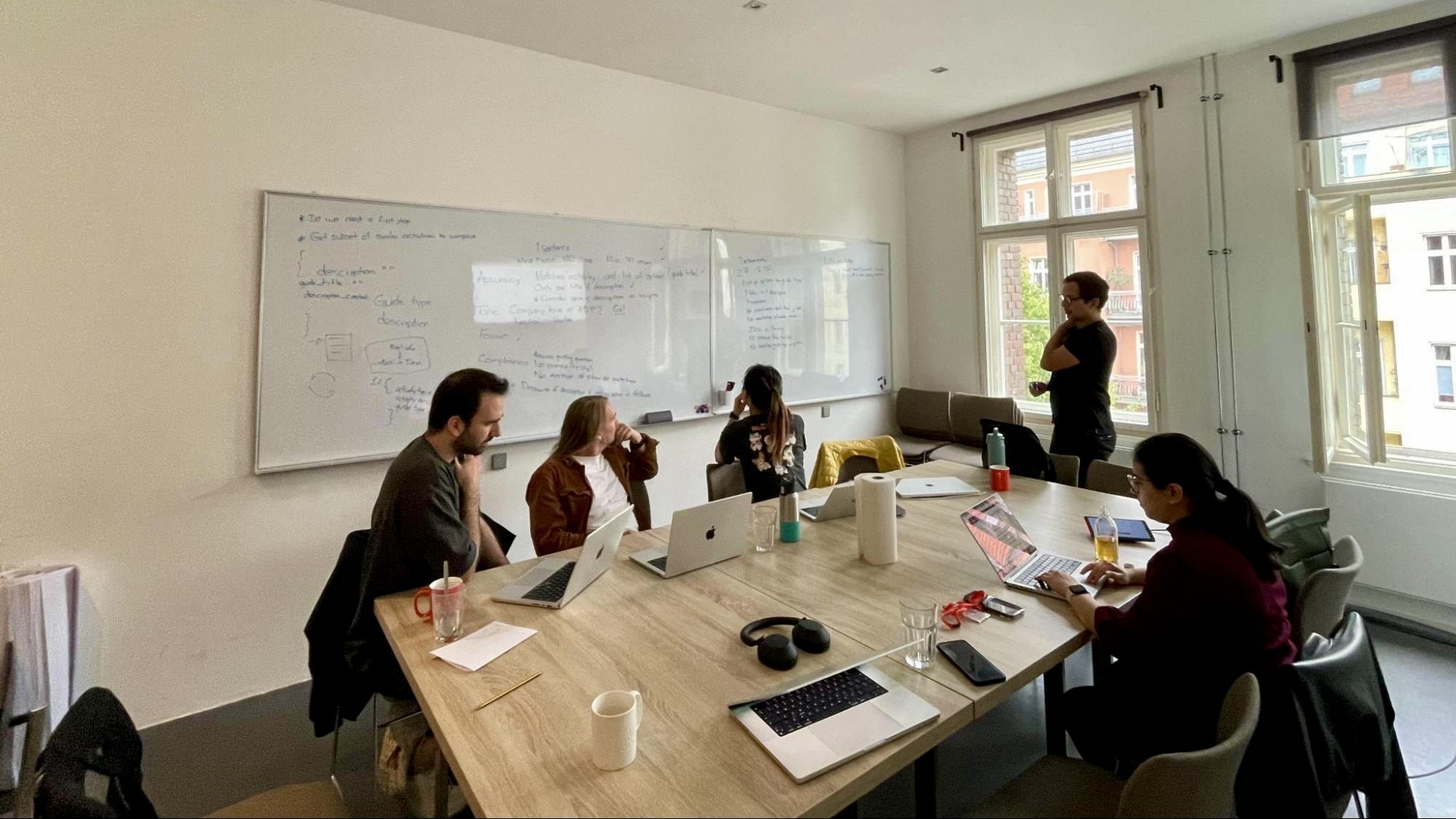
First, we started with a problem that shows up in most LLM workflows: a lot of data that you don’t need.
To combat this, we pulled a filtered set of activities with live guides and worked with the activity data that appears on the activity details page. The goal was not to collect everything, but to build input that could reliably drive a description, such as:
- What to expect from the guide
- What makes this activity distinct
- What travelers should feel confident about, without over-claiming
What “sampling” meant for us
Sampling can mean a dozen things, so we made the definition concrete:
Take data from multiple sources and reduce it to a smaller, higher-signal representation that is consistent enough to automate.
Three ideas mattered most:
- Sampling is product work, not just data work. You are deciding what matters, what is safe to ignore, and what the model should never guess.
- Constraints are your friend. A clear output shape, field rules, and length limits make everything easier later, prompting, evaluation, and debugging.
- Design for reruns. The one good run does not matter. The 50th run does. Build input that behaves predictably across new data and edge cases.
Practically, we used Databricks notebooks to explore, filter, and iterate quickly. The real win wasn’t about achieving elegance; it was clear alignment. As a result, we closed out our first day of the workshop with a shared agreement on what “usable input” looked like.
Day two: Writing evals (making quality measurable)
Next, we focused on the one question everyone asks, but many workflows avoid:
How do you know the LLM output is actually good?
The workshop’s punchline was simple:
- Evals turn “this feels better” into “this passes the tests we made.”
- They help prevent regressions when prompts, data, or models change.
- They make collaboration easier because you can finally agree on what “good” looks like.
Evals as a first-class artifact
We treated evals like test-driven development. We wrote evaluations first to align on expected output, then iterated on prompts.
We used a mix of approaches:
- Code-based tests in Python for objective checks, for example, character counts to keep descriptions short.
- LLM-based evals for fuzzier checks like tone of voice, using a stronger model to judge the output of a cheaper model.
We imported our datasets from Databricks into Braintrust and built a suite of reusable evals. That made it easier to validate and compare different prompt versions over time, without relying on memory or gut feel.
The “golden dataset” learning
One concrete takeaway is that we needed a golden dataset: a set of examples where a human-created output represents the standard we want.
Having a gold standard gives you:
- A target that stays stable across iterations
- A way to compare your approaches honestly
- A shared reference point when you disagree about what “good” is
Without it, evals can drift into measuring what is easy to measure rather than what matters.
Day three: Doing it ourselves (sample → prompt → eval)
Day 3 was integration day. We brought the pieces together and ran the workflow end-to-end in Braintrust.
By the end, the three-day structure had given us a foundation we could build into a production workflow in Airflow. The point was not “go write DAGs immediately.” It was to understand each stage of the pipeline, what it is responsible for, and how the pieces fit together.
Our workflow looked like this:
- Gather and sample the data
- Run the prompt against the sampled input
- Evaluate output with reusable evals to identify failures
- Iterate on the prompt until it passes
- Challenge it with new examples to make sure it generalizes
From notebooks and CRON to Airflow
Beforehand, Databricks notebooks were effectively orchestrated via CRON jobs. Simple, but brittle as workflows grow. Dependencies are hard to model, retries and backfills are awkward, and visibility is limited.
Now, Airflow has materially improved how we run workflows. Iteration is faster, dependency management is more flexible, reruns and partial backfills are easier, and scheduling changes do not feel like surgery.
As we moved toward something production-ready, we also collaborated closely with our MLOps team. Conversations naturally shifted toward orchestration, retries, reruns, and how to evolve notebook-based experimentation into a maintainable pipeline.
Next steps
One direction we are excited about is a cleaner architecture, using a separate repo to define notebook code and orchestration so that:
- Dependencies are pinned, and environments are consistent
- Changes go through PR review with a clear history and easier rollback
- The workflow becomes more reproducible as more people contribute
Workshop format (the part you can copy)
This workshop worked because it was designed around shared execution rather than passive learning.
- Whole team plus MLOps together: We learned one workflow, not two sets of concerns.
- Three consecutive days: No context-switch tax, with each day built on the last.
- Shared focus time: Doing the same exercises within the same time window meant that pairing and unblocking happened naturally.
If you want to run this format for your own team:
- Day 1: Pick one real dataset and define what “usable input” is
- Day 2: Write evals that capture correctness and usability, and build a golden dataset
- Day 3: Iterate prompts until they pass, then capture learnings and edge cases
Rules we would reuse:
- Use real data when you can, but keep it safe to share
- Keep the loop tight: sample → usable input → prompt → eval
- Design for reruns, build something that survives the 50th run, not just the first demo
- Protect shared focus time so decisions happen in the room, not across a week of threads
Closing comments
We know three days is not enough to master “LLMs in production.” But with a solid roadmap, it’s enough to build momentum, a shared understanding, and a repeatable workflow.
If there is one takeaway worth carrying forward, it’s this: make quality measurable with evals, make inputs sane with sampling, and make teamwork intentional with shared focus time.
Interested in working alongside a diverse, travel-obsessed team with the latest tech tools? Check out our open roles here.

More articles like this
%202.JPG)
.JPG)